
Scoreboard - Keep score
TruyendivSports
4.9172.00 Reviews
- Version
- 1.8.3
- Installs
- 500.00K
- Age Rating
- Everyone
Screenshots
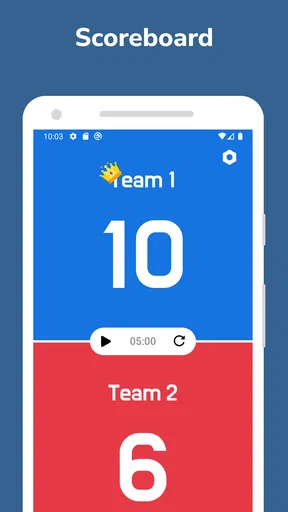
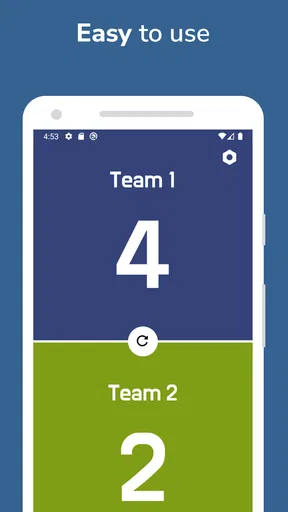
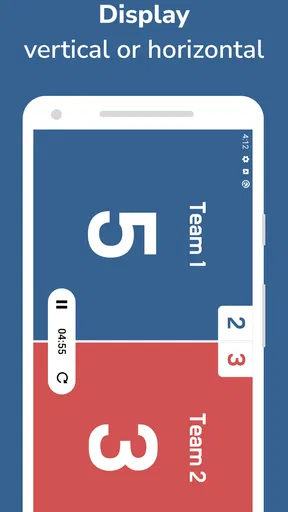
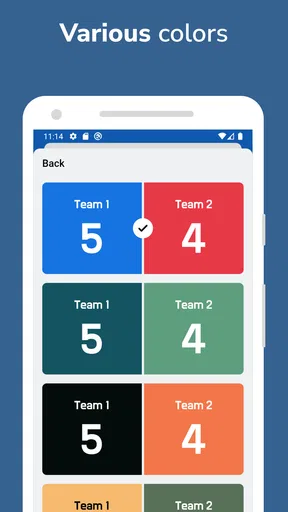
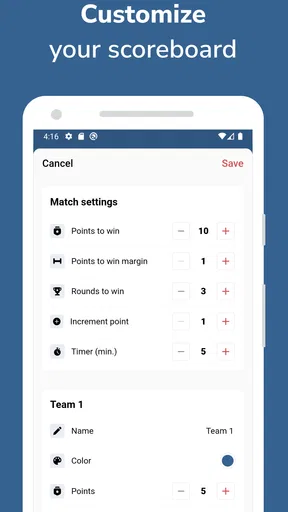
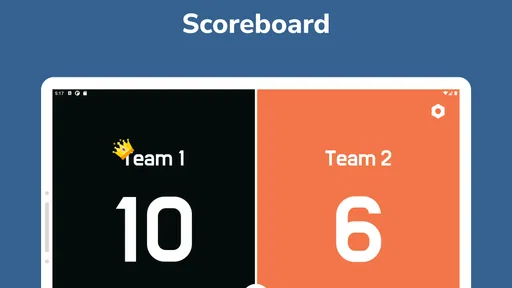
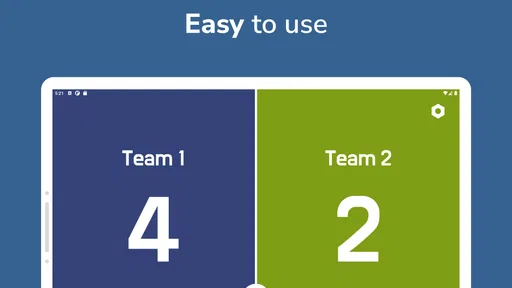
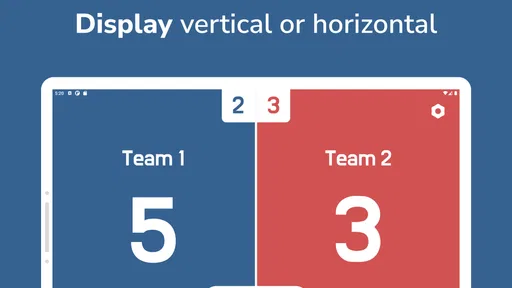
Our Review of Scoreboard - Keep score
 Analysis by Appyee
Keeping a live score sounds simple until the match becomes quick, noisy, or crowded. I have found that this is exactly where Scoreboard - Keep score earns its place. It is a focused sports app from Truyendiv, built around one job: helping me track the score between two teams without turning the phone into a complicated statistics system. That narrow purpose is also its main strength. I can open it, identify the two sides, and concentrate on the result rather than searching through menus meant for leagues, schedules, player databases, or full match analysis.
The app is free to use and is suitable for everyone, which makes it easy to recommend for casual games, family competitions, school activities, and informal club sessions. It is available for Android devices running version 6.0 or later, and the current version is 1.8.3. There are optional in-app purchases priced at $3.99 per item, so the basic experience is accessible while some extras may require payment. After using it as a simple scorekeeper, my opinion is clear: it is most useful when the score itself is the only information that needs to stay visible and accurate.
From the first point to the final result
I look at the match as a sequence of small decisions: who is keeping score, when a point is settled, and how the group checks the result before moving on. A clear routine matters more than tapping quickly, especially when the play is close or people are calling out from different sides. The next section turns to the moments when that routine is under the most pressure.
The starting condition: two teams, one person responsible
A realistic use case is a weekend game where nobody has been assigned as an official scorer. Players are moving, friends are talking, and the person holding the phone may also be watching the action. In that situation, a paper sheet can work, but it is easy to lose track of which mark belongs to which team. A general notes app is even less comfortable because it does not present the score as a dedicated display. This is where the straightforward design matters.
I would use the app when the match is informal but the final result still matters. That could mean a backyard contest, a school practice, a recreational club fixture, or a family game with two sides. The store describes it as a scoreboard, and that is the right expectation. It is not trying to replace a full competition-management platform. Instead, it gives the scorer a clear place to maintain the running total.
Before starting, I would decide who is responsible for every score change. That small handoff is important. If several people take turns tapping the screen, confusion can appear even in a very simple app. One person should watch the action, update the appropriate team, and announce the current result when needed. The app supports that workflow because its purpose is easy to understand, but it cannot solve uncertainty about whether a point was actually awarded.
Setting up the score without unnecessary preparation
The first advantage I noticed is the limited amount of preparation. A scorer does not need to create a tournament, register participants, or build a season before recording a result. That makes the app more practical than many sports tools when the game begins unexpectedly. If friends decide to play immediately, the phone can become the scorekeeper without a long setup routine getting in the way.
I recommend confirming the team sides aloud before the first update. This is a simple habit, but it prevents one of the most common scoring mistakes: adding a point to the correct number but the wrong team. On a small screen, especially in bright sunlight or while walking around the court, orientation can be less obvious than it seems. A quick verbal check gives everyone the same starting point.
The app’s simplicity also means I would not expect it to guide me through sport-specific rules. If the game has sets, periods, innings, bonus points, penalties, or a special scoring sequence, the person operating the phone needs to understand those rules independently. The scoreboard can display the running outcome, but the scorer remains responsible for translating what happened into the correct update.
The step-by-step flow during play
During the match, my preferred workflow is deliberately repetitive. I keep the scoreboard open, watch the play, wait until the point or goal is confirmed, and then update the relevant side. I avoid tapping while the result is still being debated. That pause is valuable because a fast correction is still a correction, and repeated changes can make observers doubt which number is current.
For a casual two-team game, this approach is faster than writing marks on paper and later counting them. The running total stays visible, so players can check the situation without asking the scorer to calculate anything. It also reduces the mental load on the person keeping score. Instead of remembering a string of events, I only need to make the next deliberate change after each confirmed result.
One useful habit is to say the updated score after an important play. This creates a verbal checkpoint between the app and the people around it. If someone hears a different score, the disagreement can be handled immediately while the last action is still fresh. The app provides the display, but this spoken confirmation makes the workflow more reliable in a noisy environment.
Another practical tip is to keep the phone in one stable position rather than passing it around after every point. A handoff during active play can lead to an accidental tap, a missed update, or a change made by someone who did not see the action. If another person needs to take over, I would stop briefly, state the current score, and identify which team is on each side before continuing.
Handoffs between the scorer and the players
The most important handoff is not technical; it is between the person who sees the play and the person who records it. In a friendly match, the scorer may not have the best view of every action. A player or spectator might need to call out the result. I would treat that call as an input that needs confirmation, not as an automatic instruction. A clear “point for the left team” is much safer than a shout of only “one more.”
When responsibility changes, the incoming scorer should not rely solely on the screen. I would ask the outgoing scorer to state the current total and mention any recent disputed play. This matters especially when the match has a close score. A single mistaken update can affect the final result, and a new operator may otherwise assume that the displayed number is unquestionably correct.
The app works well for a single scorer because its role is easy to communicate: one person maintains the two-team total while everyone else plays or watches. It is less suited to a workflow where multiple officials need synchronized records. If a club needs separate records, player statistics, event logs, or a formal audit trail, a more specialized sports-management tool would be the better choice.
There is also a social handoff to consider. Some groups want the score visible to everyone, while others prefer one person to control it. I would place the phone where the scorer can reach it comfortably but where players can still verify the result. That balance helps prevent arguments without encouraging several people to operate the app at once.
What the result tells me
At the end of the game, the value of the app is its immediate answer to the simplest question: which team finished ahead, and by how much? For a one-off contest, that may be everything the group needs. There is no need to reconstruct the score from a page of handwritten marks or remember whether a point was already counted.
I would still announce the final score before closing the app. This gives the players a last chance to flag an obvious mistake. Once the phone is put away, it becomes harder to determine whether a disputed point was missed or entered twice. A final verbal checkpoint is therefore part of my recommended workflow, not an extra feature.
The result is especially useful when the person keeping score is not a coach or official. A parent helping at a youth activity, a friend at a recreational event, or a student assisting during practice can handle the basic task without learning a large management system. That low learning curve is why the app’s strong average rating of 4.9 from around 4.8 thousand ratings feels understandable to me: the core job is clear, and the app does not bury it under unrelated tools.
Its reach also suggests that this straightforward approach works for a broad audience. The app has passed 500 thousand installs, and its Everyone content rating makes it suitable for ordinary household and community use. Those details do not make it automatically perfect for every sport, but they reinforce the impression that it is designed for accessible, everyday scorekeeping rather than a specialist audience.
Where the flow breaks down
The same narrow focus that makes the app comfortable can become a limitation. If I need a history of previous matches, a player-by-player breakdown, league standings, or a detailed record of every scoring event, a basic two-team scoreboard will feel incomplete. I would choose a sports-management app for those situations, even if it required more setup. The right tool depends on whether the goal is to show the current result or manage an entire competition.
It may also be a poor fit for sports where the visible score is only one part of the information. Some matches depend heavily on time, periods, sets, fouls, substitutions, serves, or other state changes. The scorer can keep a total manually, but the app should not be mistaken for a rules engine. If the group expects the application to calculate complex formats automatically, disappointment is likely.
Another friction point is human error. A dedicated scoreboard makes the number easier to see, but it cannot know whether I tapped the wrong side, misunderstood a call, or forgot to update after a point. I would not hand the phone to a distracted child during a close game and assume the result will remain accurate. For important matches, a second person should verbally verify major changes, or the scorer should maintain a simple backup note.
There is also a practical trade-off around optional purchases. The app is free, which is helpful for someone who only needs a basic scoreboard, but some items cost $3.99 each. I would begin with the free experience and only consider an optional purchase if it directly improves the way I use the app. For a casual match that happens occasionally, paying for extras may not be worthwhile. For frequent use, the decision depends on whether those additions solve a real problem rather than simply adding convenience.
How it compares with paper, notes, and larger sports apps
Compared with paper, this app offers a clearer running total and avoids manual counting. Paper still has one advantage: it leaves a visible event trail. If a referee wants to review every point, a written sequence may be more useful than a final number. My choice would therefore be the app for quick, informal games and paper when a detailed backup record matters.
Compared with a notes app, the dedicated scoreboard is more natural during play. Notes require me to invent a layout and keep track of which abbreviation represents each team. That extra mental work is unnecessary when all I want is a live total. A notes app becomes preferable only when I need to combine the score with observations, names, timestamps, or a longer match report.
Compared with a full sports app, this one is easier to start and easier to explain to a helper. The larger alternative may be better for organized leagues, but its additional capabilities can slow down a spontaneous game. I see Scoreboard - Keep score as the middle ground between a sheet of paper and a complete competition system: more convenient than manual counting, but intentionally less ambitious than a club administration tool.
Who should use it and who should skip it
I would recommend it to anyone who regularly needs a visible score for two teams without wanting a complicated setup. It is a good match for families, casual players, students, volunteers, and recreational groups. It is also useful when the scorer is not deeply familiar with technology, because the central task is easy to understand and the app does not demand extensive preparation.
I would skip it if the event requires official records, multiple simultaneous matches, detailed statistics, or automatic handling of a complicated scoring format. In those cases, the simplicity that helps a casual user becomes a missing layer of control. I would also avoid relying on it alone for a high-stakes result unless the group has a clear correction and verification process.
Device compatibility is reasonably broad because Android 6.0 is the minimum operating system, but anyone using an older phone should check that requirement before planning an event around it. The current release, 1.8.3, is the version I would look for when installing, since keeping the app current is sensible for a tool used during live activities.
My final workflow recommendation
My best way to use this app is simple: assign one scorer, confirm the two team sides, keep the phone stationary, update only after a result is agreed, announce important score changes, and verify the final total before ending the game. Those steps address the real weaknesses of a basic scoreboard without making the process cumbersome.
The strongest reason to choose it is not a long feature list; it is the removal of small scoring hassles. When the only requirement is to keep two totals visible and current, that focus is exactly what I want. Truyendiv has made an app that fits a narrow but common need, and the 172 reviews alongside its high average suggest that many users appreciate that direct approach.
My final recommendation is positive, with a clear boundary. Install it when you need a free, approachable sports scorekeeper for a two-team activity and want less friction than paper or a general notes app. Choose something more advanced when the match needs history, statistics, official documentation, or rule-aware automation. For the everyday scenario it targets, Scoreboard - Keep score is a practical companion that stays out of the way and lets the people playing remain the focus.
Verdict
Strengths of Scoreboard - Keep score
- Simple interface makes scorekeeping quick and easy.
- Supports multiple players for games, matches, and casual competitions.
- Fast score updates keep gameplay moving without complicated menus.
- Useful for tracking scores without needing paper or a calculator.
- Lightweight design should work well on most Android and iOS devices.
Limitations of Scoreboard - Keep score
- May lack advanced statistics for serious leagues or tournaments.
- Customization options for player names and score layouts may be limited.
- Ads could interrupt the experience in the free version.
- No built-in rules or game database for specific sports and board games.
- Score history and sharing features may not be available or comprehensive.
Similar Picks in This Category
View All
BeSoccer: Soccer Live Score
BeSoccer apps4.3

Cricbuzz - Live Cricket Scores
Cricbuzz.com3.7

NFL
NFL Enterprises LLC2.4

Da Fit
MO YOUNG LIMITED3.6

ESPN
Disney4.5

LiveScore: Live Sports Scores
LiveScore Limited4.5
Frequently Asked Questions
What is Scoreboard - Keep score used for?
Scoreboard - Keep score is a simple scoring app designed to replace paper, mental notes, or complicated game-management tools. You can use it to track points for board games, card games, sports matches, quizzes, classroom activities, and casual competitions. Its main purpose is to make scorekeeping quick and easy while you focus on playing rather than calculating totals.
How do I add players and update their scores?
After opening the app, you can generally create a scoreboard by adding the names of the players or teams involved. During the game, use the available controls to increase or decrease each score as points are earned. This is especially useful when several people are playing, because the current standings remain visible and can be updated without repeatedly writing numbers down.
Can Scoreboard - Keep score be used for different types of games?
Yes, the app is suitable for many activities because it is not limited to one specific game or sport. You can use it for games with positive or negative points, team competitions, training sessions, trivia, and informal matches. Before downloading, remember that it is primarily a flexible score tracker, not a complete rules engine with built-in rules for every game.
Does Scoreboard - Keep score work without an internet connection?
Scorekeeping applications of this type are generally intended to work locally on your device, which makes them convenient in places with weak or unavailable internet access. You can normally record scores during a game without creating an online room or connecting every player. However, features such as advertising, analytics, synchronization, or updates may depend on the app version and device settings.
Is Scoreboard - Keep score free to download and safe to use?
The app may be available as a free download, although the exact pricing model can vary between Android and iOS and may include advertisements or optional purchases. Before installing, check the store listing for permissions, in-app purchase details, developer information, and recent reviews. Since score data can be entered manually, avoid treating the app as a secure place for sensitive personal or financial information.
